What it is
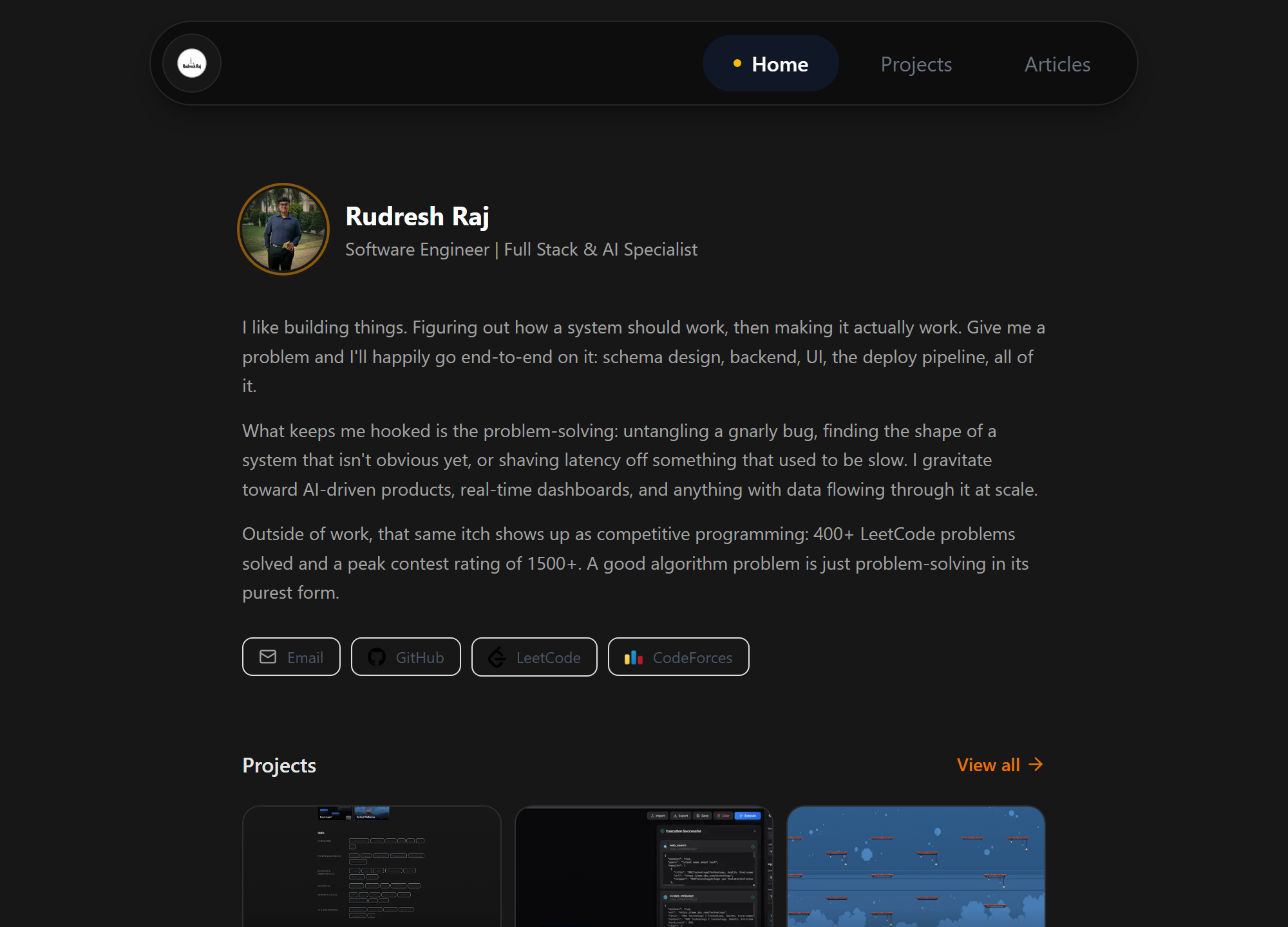
This site is the answer to "show me something you built end to end." It's a personal site, a blog, and a small digital storefront, but the interesting part is underneath: nothing you read here is hardcoded. Bio, work history, project write-ups, blog posts, even the shop's product catalog, all live in Postgres and are edited through an authenticated admin dashboard built specifically for this project. Save a change in the CMS, and the very next page load already reflects it: no redeploy, no rebuild.
Architecture
Rendering diagram…
One Next.js app, one Postgres database, and a handful of external services each doing exactly one job: Stripe moves money, GitHub grants access, Blob stores files, GA4 counts visitors, Resend sends mail. The app itself just orchestrates them.
Content that updates without a deploy
Every page is server-rendered on request, straight from the database. Bio, skills, work history, education, social links, and feature flags like whether the shop is visible all live in a single settings record, read fresh per request and merged over defaults so a field added in a later release still renders before anyone re-saves.
Rendering diagram…
The editor behind it
Writing happens in a purpose-built markdown editor rather than a textarea. Images can be uploaded by click, dragged onto the editor, or simply pasted from the clipboard, all three routed through the same upload endpoint into Blob storage, with alt text pre-filled from the filename. The toolbar is built from three primitives: one that wraps a selection (bold, italic, inline code, links) and restores the exact cursor range afterward, one that prefixes every line of a multi-line selection (headings, quotes, lists), and one that inserts whole blocks, including pre-filled scaffolds for a mermaid diagram, a GFM table, or a chess game.
Rendering diagram…
Long posts are split into pages by an HTML-comment sentinel, so multi-page articles round-trip through one database text column with no extra schema. The preview tab renders through the actual article renderer inside a forced-dark shell, so what you see while writing is what ships, not an approximation.
A markdown pipeline built for more than prose
Posts and project write-ups, this page included, run through GitHub-flavored markdown, syntax highlighting, and a set of custom renderers layered on top.
Rendering diagram…
The details are where it gets interesting. The highlighter is explicitly told to leave mermaid, chess, PGN and FEN blocks as plain text, otherwise it mangles the diagram source before the renderer ever sees it. YouTube links only turn into embedded players when the link is a bare URL or wraps a thumbnail image; a link with real prose text stays an ordinary link. The table-of-contents extractor strips fenced code blocks before scanning for headings, so a # comment inside a code sample never becomes a section, and it slugs headings with a stateful slugger so two headings with the same title get the same de-duplicated anchors the renderer produces. The contents sidebar highlights your position with an intersection observer tuned to ignore the band under the sticky header. Chess boards accept either a bare FEN string or a complete PGN, expand the move list into a clickable, keyboard-navigable game, and load the chess engine and board only on pages that actually contain one.
A shop without a shop platform
Rather than bolt on an e-commerce platform for a handful of digital products, the storefront is Stripe Checkout plus one webhook. The price always comes from the server-side product record, never from the client, so a tampered request cannot buy anything cheaply. Stripe calls back with a signed event, and the signature is verified against the raw request body before a single field is trusted.
Rendering diagram…
Fulfillment is written around one rule: the payment already succeeded, so nothing after it is allowed to throw. Every failure, a missing token, a GitHub error, a bounced email, gets recorded on the purchase row as a retryable status instead of vanishing into a stack trace. Duplicate webhook deliveries are absorbed by a unique constraint on the Stripe session ID rather than by bookkeeping. A buyer who already has repo access returns a different status code than a fresh invite, and the code branches on it to jump straight to active rather than waiting on an invite that will never be accepted. Refunds issued directly from the Stripe dashboard, entirely outside the app, still arrive as events and still revoke repo access.
The purchase lifecycle
Rendering diagram…
Refunded and revoked are deliberately separate states rather than one "cancelled": one means money moved, the other means access was pulled without a refund, and conflating them would lose the distinction that actually matters when reconciling later. A scheduled daily job re-checks pending invites, because GitHub invitations lapse after a week, and a lapsed invite should become a visible, fixable row in the admin panel rather than a customer quietly left without what they paid for.
Attribution that survives without GA4
Campaign parameters are captured into session storage on landing, but only when the URL actually carries them, so clicking through to a second page mid-session doesn't overwrite where someone originally came from. Those values ride along in the Stripe session's metadata and get written onto the purchase row itself.
Rendering diagram…
The result is a first-party attribution chain that keeps working if GA4 is blocked, misconfigured, or removed entirely: every sale carries its own origin in the database, independent of any analytics vendor.
Analytics, without leaving the site
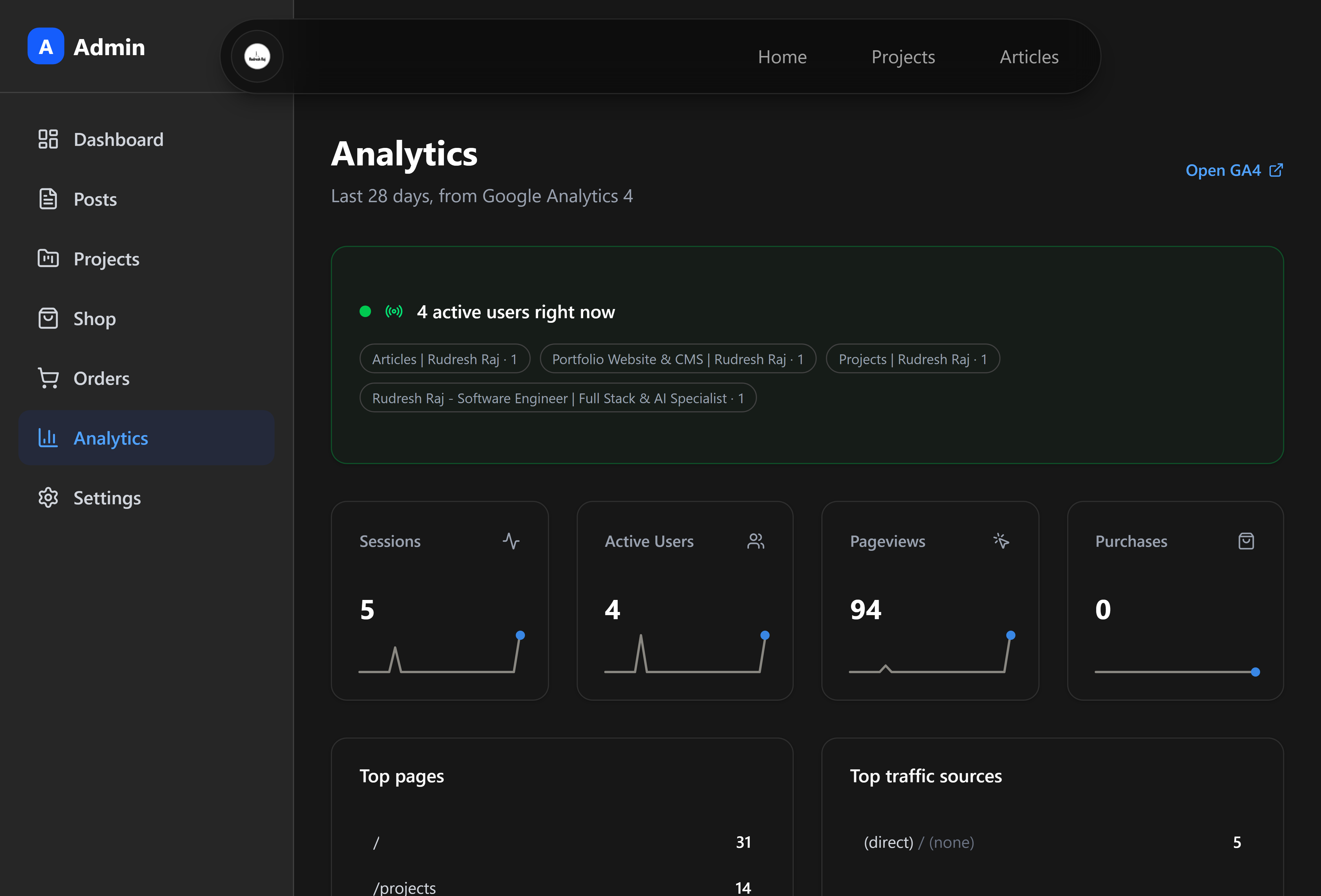
The admin panel has its own analytics page rather than a link to Google's. It runs seven separate GA4 Data API reports per load: a headline summary, a purchase-event count, top pages, traffic sources, a daily trend, campaign performance, landing-page engagement, product conversion, and audience breakdowns by country and device.
 The analytics dashboard
Three problems had to be solved to make that page useful:
GA4's tables lag by a day or more. A freshly launched site therefore looks completely dead in the standard reports. So the page also calls the realtime API, which has no such delay, and leads with a live "active users right now" strip broken down by page, with a note explaining that the empty historical grid below is expected rather than broken.
Filtering by purchase events poisons the other metrics. GA4 applies a dimension filter to every metric in a request, so asking for sessions, pageviews and purchases together with a purchase filter returns purchase-only rows for all three. The trend is therefore fetched as two parallel reports and stitched together afterward.
GA4 omits days with no activity entirely. Left alone, a sparkline of a quiet week would compress five sparse points into a misleadingly smooth line. The daily series is backfilled across the full window so zero days are actually drawn as zeros.
The campaign table then joins those GA4 sessions and engagement rates against real revenue aggregated from the purchase rows in Postgres, which is why the first-party attribution above matters: sessions come from Google with a delay, revenue comes from the database instantly. Each secondary report is fetched with its own error boundary, so a single quota error or unavailable metric blanks one card instead of the entire page, and a permissions error is detected specifically to render the actual fix rather than a generic failure.
The sparklines are hand-drawn inline SVG with no charting library. They stretch to fill their container, which is exactly why the current-value dot is a positioned element rather than an SVG circle: under a non-uniform stretch, a circle would render as an ellipse.
Newsletter, without a marketing platform
The newsletter form on the home page and the marketing opt-in at checkout write into the same customer table. Someone who buys and later subscribes, or subscribes and later buys, stays one row: how they were acquired is tracked separately from whether they are currently subscribed, so re-subscribing never rewrites their origin.
Rendering diagram…
Subscription is strictly opt-in in code: the checkout webhook only ever sets the flag when Stripe reports explicit consent, and never clears it. Unsubscribing is a permanent per-customer token, so the link in an email from a year ago still works with no signing infrastructure to maintain.
Auth and the security model
The admin sits behind credentials login with bcrypt-hashed passwords and JWT sessions. Every route that changes data checks for a valid session server-side before doing anything, and every public listing endpoint enforces published-only visibility on its own, so a draft post or unreleased product stays invisible even to someone calling the API directly with a known ID.
Rendering diagram…
Public endpoints that cost something to run, checkout, newsletter signup, and GitHub username lookup, carry per-IP rate limits on top of that. The username check in particular would otherwise be a free GitHub account enumerator.
SEO and machine discoverability
Everything a crawler, a scraper or a feed reader can ask for is generated from the same database the pages render from, so none of it can drift out of sync with the content the way hand-maintained files do.
Rendering diagram…
Structured data. Every content type describes itself in JSON-LD: the home page as a Person, articles as BlogPosting with author and publisher, shop items as Product with an Offer, and every nested page carrying a BreadcrumbList so search results can render the hierarchy rather than a bare URL.
Crawl control. A generated robots.txt opens the site up but keeps crawlers out of the admin panel and the API surface, and points at the sitemap. The sitemap carries a real last-modified date per entity, taken from the row's own updated timestamp rather than the build date, with priorities tiered by content type. Shop URLs appear in it only while the shop is switched on, so turning the storefront off doesn't leave dead links advertised to Google.
Social cards. Each project and article generates its own 1200x630 preview card at request time from live database values, so a renamed post produces a new card with nothing to regenerate. The dimensions are declared in the page's metadata, which matters more than it sounds: scrapers use them to choose between a full-width banner and a small thumbnail, and an undeclared or oddly-shaped image quietly gets demoted to the thumbnail treatment. Card type, canonical URL and site name are repeated per route rather than inherited, because Next replaces a parent's OpenGraph block wholesale instead of merging into it.
Machine-readable prose. Alongside the RSS feed (escaped by hand, with stable permalink GUIDs and a build timestamp derived from the newest post) the site serves an llms.txt: a plain-text index written for AI crawlers, listing published projects, articles and products as titled links with descriptions, in the same order they appear on the site, with shop sections omitted entirely when the shop is off.
One trap worth naming. The sitemap, feed and llms.txt routes all opt into dynamic rendering explicitly. Next detects request-time APIs like cookies and headers on its own, but a plain database read looks static to the compiler, so without that opt-in all three would have frozen at build time and served whatever existed on deploy day, quietly, with no error to notice.
Tech stack
| Layer | Technology |
|---|---|
| Framework | Next.js 16 (App Router), React 19, TypeScript |
| Styling | Tailwind CSS 4 |
| Database | PostgreSQL (Neon), Prisma 7 ORM |
| Auth | NextAuth v5, bcrypt |
| Payments | Stripe Checkout + webhooks |
| Storage | Vercel Blob |
| Resend | |
| Analytics | Google Analytics 4 Data API |
| Hosting | Vercel |